
Olarm - Link
Olarm LINK – Multi-Network Communicator for Alarm Systems
Reliable Connectivity • Smart Control • Easy Integration
The Olarm LINK is a multi-network communicator that connects your existing alarm system to the Olarm mobile app. providing real-time control. alerts. and monitoring—all from your smartphone. Designed for both home and business use. it supports multiple network failovers (GSM & Wi-Fi). ensuring your alarm stays connected even during power or signal outages.
Compatible with most leading alarm brands in South Africa. the Olarm LINK offers plug-and-play installation and secure cloud integration. making your security system smarter and more responsive.
Key Features:
🔗 Multi-Network Connectivity – Automatically switches between mobile networks and Wi-Fi for uninterrupted service.
📱 Remote Control via Olarm App – Arm/disarm. receive alerts. view zone status. and manage users on your phone.
⚡ Plug & Play Installation – Quick setup with minimal wiring or configuration.
🔒 Encrypted Communication – Secure cloud-based connection for data protection and privacy.
🛠️ Compatible with Leading Alarm Panels – Works with IDS. Paradox. Texecom. DSC. and more.
📶 Automatic Failover – Ensures communication continuity in case of signal loss or power failure.
Perfect For:
Homeowners looking to modernize their alarm system
Business owners needing smart remote access and alerts
Installers seeking a simple. reliable upgrade solution
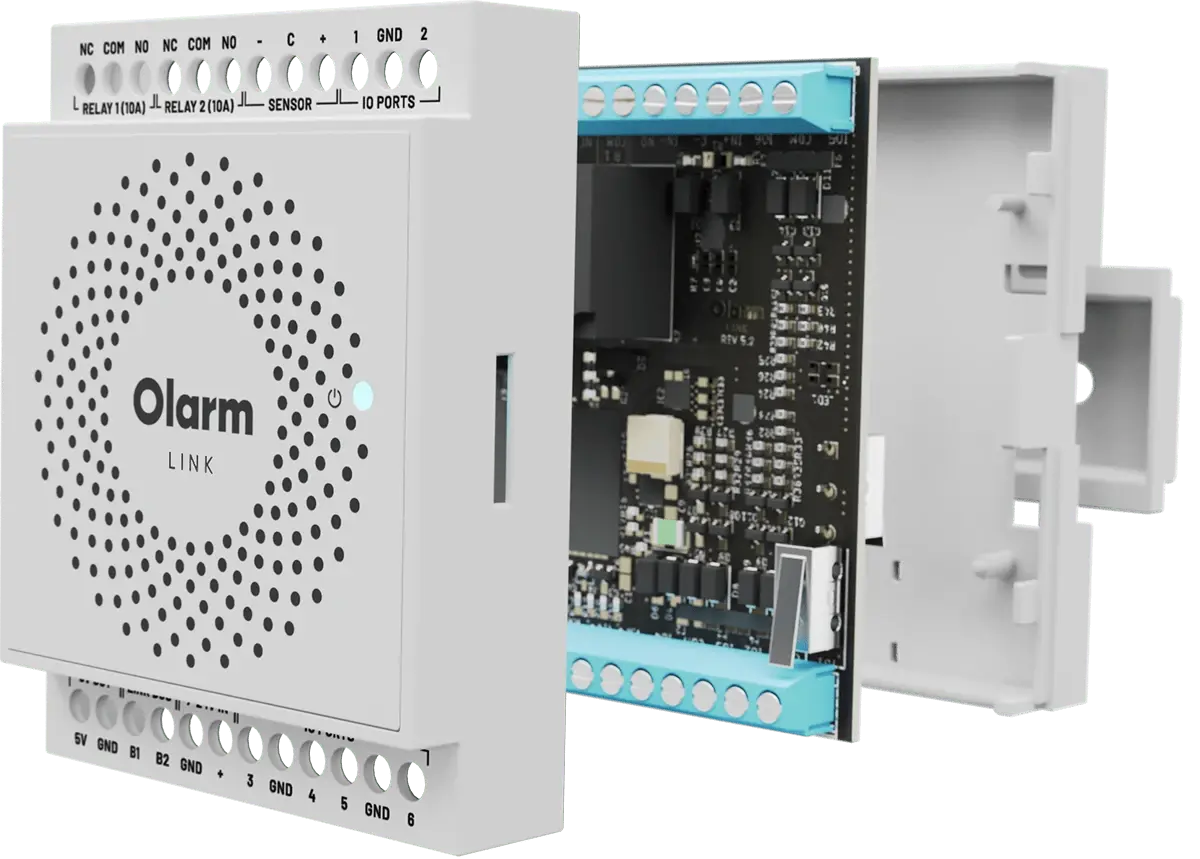
IO port & relay extender for Olarm PRO
App enable existing security peripherals
2x Relays: 10A @ 240 VAC
10A @ 28 VDC
6x I/O Ports: 0-20 VDC
120 mA max
1x Sensor: 4-20 mA
0-15 VDC
Power: 7-24 VDC
25 mA (typical)
250 mA (max)
Connectivity: Utilising the Olarm PRO advantage of 5x network options.
Requires an Olarm PRO 4G Communicator